AI is revolutionizing the way we develop software at an unprecedented pace from what even a few years ago would have seemed unimaginable. Tasks that previously might have taken hours of tedious bug fixing, Googling, perusing documentation, writing by hand, are happening now in mere minutes with AI software. Developers is all corners of the globe are turning to artificial intelligence to code, analyze, detect errors, document, streamline, and to speed up their work:
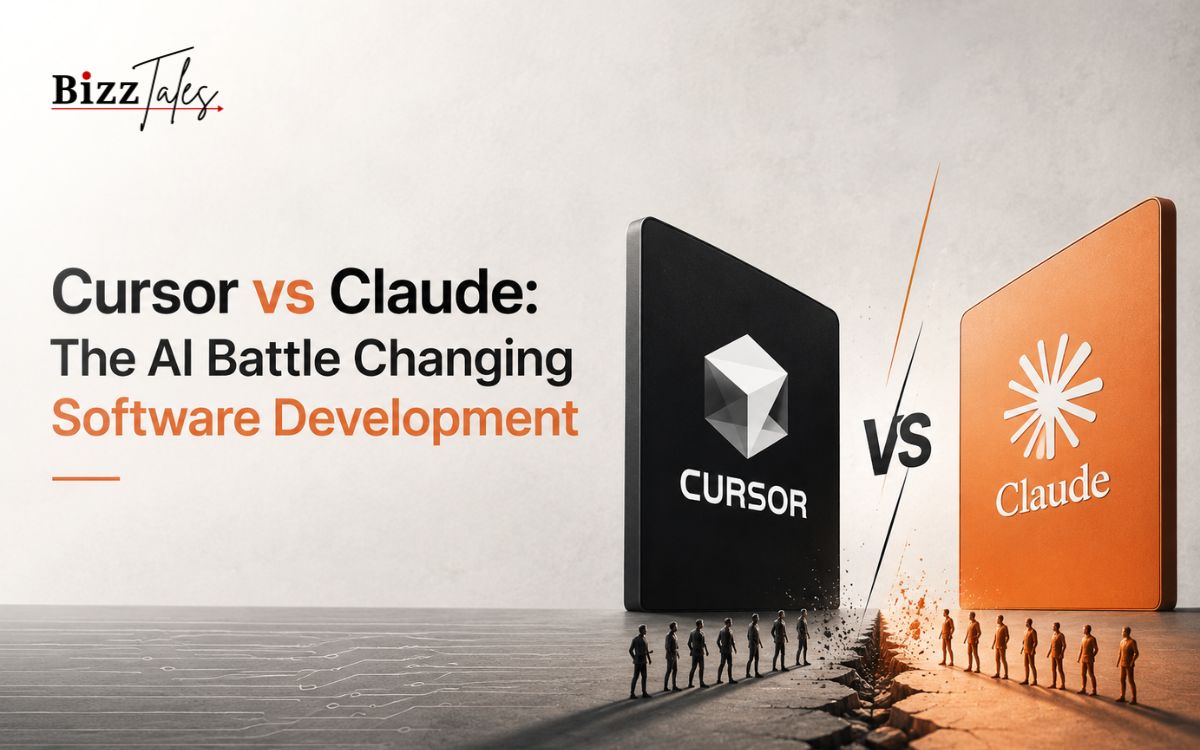
As more and more AI-powered tools are becoming available today, two names tend to appear more than others in discussions among developers: Cursor and Claude. Both use state-of-the-art machine learning algorithms, but they are two very different solutions to the same problem:
Cursor is created to code. It yokes AI at the software level. Developers talk to their code using artificial intelligence within their development environment. Claude from Anthropic is not only amazing at all that, but also more generic. It can think through complex problems it can analyze hundreds of pages of information, it can generate code, check architectures etc.
As AI tools become ingrained in every step of the software development process, the Cursor versus Claude debate heats up. Developers, startup founders, engineering managers, and technology firms are all searching to find the more useful solution.
The answer is not as straightforward as using one instead of the other. Both ChatGPT and GitHub Copilot have their respective benefits, best uses, and restrictions. Here is what is important to know in mastering the new age of software engineering driven by AI.
The Evolution of Software Development
Software making has come a long way in last few decades. Earlier the programmers had to deal directly with machine language and low level programming. Today all this has been made simple with higher level programming languages , frameworks, integrated development environments and cloud platforms etc.
Even with such vast improvements, developers were still performing a lot of manual work. Searching for documentation, chasing bugs, ramping up on existing code, and generating large quantities of boilerplate code still used up large portions of our time.
AI is revolutionizing it.
Instead of just being a tool, current artificial intelligence programs are a collaborator in software creation. They understand the thought processes of a developer, are able to provide solutions, translate all manner of technical terms, and produce working code based on instructions given by natural language.
This is one of the greatest changes in the history of software engineering. Developers are not working in isolation anymore. They are working hand in hand with sophisticated systems.
Cursor and Claude are two prominent examples of this new paradigm.
Understanding Cursor
Cursor is an AI-first code editor for developers. Cursor is built upon a familiar editing experience and couples artificial intelligence with your workflow.
It’s unlike classic development tools, which often pump developers back and forth between docs, chatbot, and IDE. Cursor enables developers to stay right inside their IDE: They can ask questions, create code, modify files, refactor applications and debugs issues.
The most useful feature of Cursor is how well it understand project state. Instead of just providing snippets of code, it can traverse across multiple files and comprehend rather large application’s relationships.
Our contextual awareness really boosts the accuracy, and usability.
For those developing larger applications, Cursor can be much more like an intelligent partner that can penetrate a large application and help with development itself.
The new ways of working that the platform enables have proved really appealing to a new generation of built-to-suit modern developers who want to work smart, collectively and without interruption.
Understanding Claude
Let’s see, then Claude.
Created by Anthropic, Claude is a large language model (a computer program that is capable of understanding and generating human language) that is geared towards tackling a broad spectrum of intellectual challenges. Although coding is a focus for this AI, it is not solely focused on programming.
Claude is very good at reasoning, analysis, writing, research, planning, architecture design, problem-solving. Its attention span and context processing power allow it to understand complicated projects and tasks and come up with comprehensive answers.
Claude is often utilized by developers for performing code reviews and identifying architectural decisions, understanding technical literature, breaking down complex algorithms and assessing design of software.
A notable feature of Claude is that it can efficiently comprehend large amounts of code without losing the context over long interactions. Its ability to cater to multi-system and long documents makes it very effective for guiding decisions.
Instead of simply being a coding helper, Claude frequently functions as a technical consultant that can help developers work through difficult issues.
For many engineers, this wider point of view is what is most valuable about this application, much more than the possibilities for code generation.
Where Cursor Excels
The major strength of Cursor is the fact that it is tightly integrated into the software lifecycle in which it operates.
That’s where the developers are. Cursor understands this truth and integrates artificial intelligence directly into the code editors where the action is. The end product is a natural development flow with no interruption.
Most of the time, developers can issue Cursor tasks such as generating a function, editing a component, refactoring, or repairing a bug directly against the living project they are working on.
Implementing changes is more efficiently made by it knowing the structure of the repository. It can therefore make the change in a uniform fashion ensuring that conventions are not broken and no inconsistencies are introduced.
Cursor is also very good for quick iteration.
Developers have the ability to play with ideas, make changes, or try alternative options without the need to ongoingy move information from one tool to another.
As a practical integration for daily coding productivity, this provides great benefits.
Many developers have indicated that Cursor greatly accelerates the time it takes to perform some of the most frequently used programming tasks.
Where Claude Excels
What is Claude’s biggest strength: hypothesizing? How about reasoning?
Code generation may be one of the simplest part of software development, but other difficulties that engineers had to face go far beyond the mere syntax of programs. For example, they have to compare different solutions, develop architecture, estimate risks, understand business needs and find solution to complex problems.
Claude shines in these contexts.
Its capacity to handle a relatively large number of data means that it has the ability to see a whole system and not only individual files. Developers are able to supply information such as long explanations, architecture diagrams, technical specifications, code examples,.
This functionality makes Claude especially useful for project planning, review of designs and consideration of different options.
Another benefit that developers seem to really like is subtleties in how Claude communicates. Its explanations, are often very detailed, thoughtful and instructive.
Rather than just giving answers, I feel that when Claude is able to help developers see the logic of what works and what compromises it takes,…
Claude provides for learning, strategic thinking and complex problem solving these functions that we believe will prove to be invaluable for many developers.
The Developer Experience
They are very different in user experience. Only a view of them.14]
Cursor seems to be a very natural extension of the environment. The developer is already touching the cursor while s/he is working in the editor. Such a tool is good for implementation work.
Very practical. People are asking questions all the time and they are very task focused. Write out this function. Break this apart. Replace this with this. Describe this file.
However, Claude often feels more like receiving a consultation from an advanced technical professional.
Interactions are more expansive and inquisitive. Developers may explore architectural choices, compare technology stacks, go over product specifications, or diagnose performance issues.
This difference can be attributed to the different philosophies behind each platform.
Execution level of Cursor.
Claude is concerned with understanding.
Both will also be valuable modes of operation depending on what a developer want to achieve.
Startups and the Rise of AI-Native Development
Tools such as Cursor and Claude have arrived, and they’re transforming startup product development.
Small teams, using powerful AI systems, are now delivering what would have previously required a large engineering group to achieve.
Founders can get products prototyped more quickly.
Developers can take on more types of tasks.
Engineering teams can cut down on redundant work and take on more difficult issues.
Helps you deploy faster Cursor speeds up coding to help deploy faster. Helps teams think through technical choices and business needs Claude can guide teams to find the best technical solutions.
All of these is now creating AI-native development, in which the use of AI is becoming essential for software development.
This could very well persist as artificial intelligence systems prove more-skilled and become more integrated into the development process.
The Impact on Software Engineers
And the most common question about all these tools to build AI is: won’t they replace software engineers?
We believe the evidence indicates otherwise.
Instead of replacing them, tools like Cursor and Claude are empowering humans. They automate monotonous work, make accessible information available, and lessen cognitive load.
But still to develop software through creativity, wisdom, domain expertise, effective communication and vision is also required.
While AI is capable of writing code, it can not understand the strategic intent of the business, how customer needs fit into the company’s basket of offerings, and how it all relates back to the firm’s priorities and longterm product vision.
Developers who learn how to work along side AI will be most productive.
The future of software engineering will include less repetitive work and more design, leadership, innovation, and the chance to solve challenging problems.
Which Tool Is Better?
We might even be starting off with a wrong question.
Cursor and Claude are not substitutes for each other. They serve different purposes.
When a developer is mainly interested in writing code efficiently in a project environment, it is sometimes better to go with Cursor.
When it is about thinking through difficult problems, evaluating architectures, comprehending systems or making strategic decisions, Claude often offers more value.
Many will even end up using both.
Implementation of cursor handles.
Claude is associated with analysis, planning and problem solving.
They form a bevy of combined AI-powered development process that provides elevates productivity to new levels.
The Future of AI Development Tools
AI is still very new.
The tools we have today, seem advanced, but will seem world-class, in a few decades. Is likely, that the tools of the future, will be able to understand the whole organization, due to a several part system, doing complex tasks by self, and working with that group.
Cursor and Claude embody these two possible futures.
One emphasizes a more direct integration with software development flows. The other focuses on reasoning and understanding, and intellectual teamwork.
As these types of approaches evolve further, it will become more difficult to distinguish “general” AI systems from coding assistants.
What is certain however, is that artificial intelligence will be at the heart of the future of software engineering.
Developers who adopt these new technologies will be more able to keep pace with these shifting requirements.
Conclusion
The rivalry between Cursor and Claude embodies a larger change sweeping the software industry. Artificial intelligence is no longer a distant promise. It is an everyday reality that programmers leverage to create, debug, and streamline software.
Cursor is great with implementation, incorporating the design into workflow, and writing code. Claude is good at reasoning, solving abstract problems, and grasping systems.
Instead, far more developers look at them as complimentary rather than competitive and use them for entirely different things throughout the development life-cycle.
As the field of software engineering matures, the best practitioners will probably be those who know how to exploit execution-oriented and reasoning-oriented AIs.
The future of development is neither man nor machine. Its both together, humans and AI, working side by side on producing superior software faster than its ever been done before.
FAQs
What is Cursor?
Cursor is an artificial-intelligence enabled code editor for software development. Cursor incorporates advances in artificial intelligence into the flow of programming and enhances writing, editing, and troubleshooting code.
What is Claude?
Claude is a paid large language model created by Anthropic for coding, reasoning, analysis, writing, research, and complex problem solving.
This is where I think Cursor is superior to Claude
The reason is that cursor is really tightly embedded in compilers/environments it can provide better information for development environment such as project structure.
Silicon developers can they jointly Cursor and Claude use?
Absolutely. Several programmers employ Cursor for their implementation and coding process and use Claude for architectural design, troubleshooting, studying the documented material, planning, and strategy.
Will AI tools completely substitute software developers?
Most of today’s AI tools will boost developer productivity rather than replace the developers themselves. Human creativity, judgment, business insight and problem-solving ability will continue to be vital elements in software engineering.