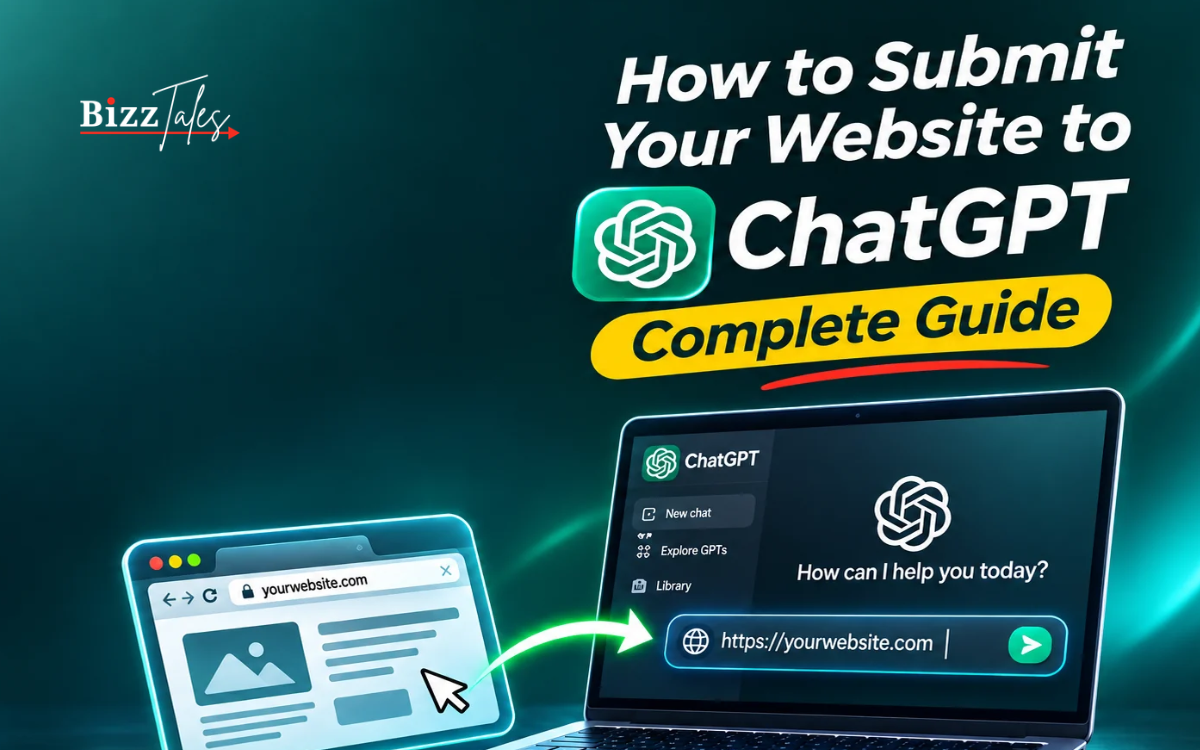
The way people discover websites is changing rapidly. For years, businesses focused primarily on Google, Bing and other traditional search engines to attract visitors, generate leads and build brand awareness. However, the growing popularity of artificial intelligence tools is creating another important opportunity for website owners: getting discovered through AI-powered search platforms such as ChatGPT.
Millions of people now use ChatGPT to research products, compare services, find businesses, understand complicated topics and make purchasing decisions. Instead of searching through multiple websites, users can ask questions and receive conversational answers with relevant sources and recommendations.
This change is encouraging businesses, digital marketers, publishers and website owners to rethink their search engine optimisation strategies.
In November 2026, OpenAI introduced Businesses in ChatGPT, a new beta experience that allows eligible businesses to claim their profiles through ChatGPT Business Hub, manage business information and understand how users engage with their websites through ChatGPT.
The development provides businesses with a new way to manage their presence within the ChatGPT ecosystem. However, claiming a business profile and making a website discoverable in ChatGPT Search are two different processes.
Website owners must understand both approaches to improve their visibility in AI-powered search.
Whether you operate a small business, digital marketing agency, e-commerce store, blog, news website or professional service company, this guide explains how to submit your website to ChatGPT, verify your business, configure OpenAI crawlers and improve your website for SEO, AEO and GEO.
What Does Submitting a Website to ChatGPT Mean?
Submitting a website to ChatGPT means making your website or business information available for discovery through OpenAI’s ecosystem.
There are two important aspects of this process.
The first is claiming a business profile through ChatGPT Business Hub. This allows eligible business owners or authorised representatives to manage business information, verify their identity, provide product details and access available performance insights.
The second is making public website content accessible to ChatGPT Search through OpenAI’s search crawler, known as OAI-SearchBot.
These processes serve different purposes.
Business Hub helps businesses manage their official information and understand how they appear in ChatGPT. OAI-SearchBot allows OpenAI to discover website content that may be surfaced in ChatGPT Search results.
For example, imagine you operate a web development company.
A potential customer asks ChatGPT, “Which companies provide custom WordPress development services?”
If your website is accessible to search crawlers, contains relevant information and provides useful answers, your pages may become eligible to appear in relevant ChatGPT Search results.
Separately, claiming your business through Business Hub can help you manage the information associated with your company.
However, neither process guarantees that ChatGPT will recommend your business for every relevant question.
What Is ChatGPT Business Hub?
ChatGPT Business Hub is OpenAI’s business management platform introduced in beta on November 10, 2026.
It allows eligible businesses to claim their presence in ChatGPT, update important business information, provide product details and access insights about how people interact with their business.
Previously, businesses had limited direct control over how their information appeared across AI-generated answers.
Business Hub introduces a dedicated environment where authorised representatives can manage important company details.
The platform is particularly relevant for:
- Small and medium-sized businesses.
- E-commerce companies.
- Online service providers.
- Digital marketing agencies.
- Professional service companies.
- Publishers and online media businesses.
- Brands selling products through digital platforms.
Once a business completes the required verification and approval process, it can manage supported profile information and access available insights.
For eligible businesses, additional features include product feeds and Business Agents.
What Can Businesses Do With ChatGPT Business Hub?
Business Hub provides several features designed to improve business information management and customer discovery.
Claim a business profile: Business owners and authorised representatives can search for their existing business or add an eligible business where the feature is available.
Verify business ownership: Businesses can complete verification through supported methods, including website domain, business email, phone or Shopify.
Update company information: Approved businesses can manage their website, business description, categories, logo and other supported details.
Connect product information: Eligible retailers can provide product feeds containing details such as prices and availability.
Monitor business insights: Businesses can view aggregated information about mentions, website clicks and discovery topics.
Manage business administrators: The person who claims a business can invite authorised team members or agencies to help manage the profile.
Create a Business Agent: Eligible businesses can build an AI-powered business agent that answers customer questions using their approved business information.
These features make Business Hub an important development for businesses looking to understand and manage their presence within AI-powered discovery platforms.
How to Submit Your Website to ChatGPT Business Hub
The process of claiming a business through ChatGPT Business Hub involves several steps.
Before starting, make sure you have access to your business website, domain DNS settings and official business information.
You may also need identity verification documents and information about your legal business registration.
Step 1: Open ChatGPT Business Hub
Start by signing in to your ChatGPT account.
Open ChatGPT Business Hub through the available business section in ChatGPT.
You can also access the platform through the official website:
Once you enter Business Hub, search for your company using its official or commonly recognised business name.
If your business already appears in the available listings, select the correct profile and follow the instructions to claim it.
If your business does not appear, check whether ChatGPT offers an option to create a new profile.
The available options may depend on your business category, location and verification eligibility.
Step 2: Select Your Business Type
After locating your business or starting a new profile, you may be asked how customers interact with your business.
The available setup options can include businesses that operate through a website or those that serve customers at physical locations.
Choose the option that accurately represents your business model.
For example:
- An SEO agency can select a website-based business.
- An online software company can select a website-based business.
- An e-commerce store can provide its online store details.
- A restaurant may need to follow the available local business listing process.
- A retail store may need to claim an existing eligible listing.
The available verification route can differ depending on the selected business type.
Step 3: Verify Your Website Domain
Website domain verification is one of the most important stages of the process.
ChatGPT may ask you to prove that you own or are authorised to manage the website associated with your business.
For this, OpenAI provides a DNS TXT record.
You need to copy the verification record and add it to your domain’s DNS settings.
A typical DNS verification process involves:
- Open your domain registrar or DNS management dashboard.
- Locate the DNS management section.
- Select the option to add a new DNS record.
- Choose TXT as the record type.
- Copy the hostname and verification value provided by ChatGPT.
- Save the record.
- Return to Business Hub.
- Select the domain verification option.
<escape>For example, a DNS TXT record may look like this:</escape>
Type: TXT
Name: @
Value: openai-verification=YOUR-VERIFICATION-CODE
This is only an illustrative format. Always use the exact record type, name and value supplied by ChatGPT rather than copying an example from another website.
DNS changes may take time to become visible.
If your website is managed by a developer or hosting provider, ask them to add the verification record.
Once the record is detected, return to Business Hub and complete the verification process.
Step 4: Select a Business Category
After verifying the website domain, you may be asked to select a category that best describes your business.
This category helps communicate what your company does.
For example:
| Business | Suitable category |
|---|---|
| SEO agency | Marketing or advertising services |
| Online magazine | Magazine publisher |
| Software company | Software or technology services |
| E-commerce store | Retail or online shopping |
| Travel agency | Travel services |
| Educational website | Education services |
| Web development company | Technology or professional services |
The actual category options depend on the available selection list.
Choose the closest accurate category rather than selecting an unrelated category simply because it appears more popular.
Step 5: Add Your Business Description
The business description is an important part of your profile.
It explains what your company offers, who your customers are and which problems your products or services solve.
For better SEO and GEO relevance, write a clear description using the same language customers use when searching for your services.
For example, a digital marketing agency could use a description such as:
“Our company provides SEO, technical SEO, local SEO, website development, performance marketing and digital branding services for businesses. We help organisations improve their online visibility, attract relevant website visitors and generate qualified leads through search engine optimisation and digital marketing strategies.”
This description is more useful than simply writing that your company is a leading digital marketing agency.
Include relevant services, business categories and the markets you genuinely serve.
Avoid excessive keyword repetition, promotional claims and misleading statements.
Step 6: Add Contact Information and Business Details
Depending on the business type and available form, ChatGPT may request additional information.
This can include:
- Public business name.
- Legal company name.
- Trading name or DBA.
- Business website.
- Business email address.
- Contact phone number.
- Business category.
- Physical business address.
- Registered business address.
- Business registration information.
- Product delivery and return policies, where applicable.
Make sure all information matches your official business records.
If your company uses a brand name that differs from its legal registration name, provide the correct details in the relevant fields.
For example, a company may operate publicly under a brand name while its registered legal name is different.
Accurate information helps avoid confusion during verification.
Step 7: Complete Identity Verification
Website domain verification and personal identity verification are separate steps.
Completing DNS verification proves control of the domain. It does not automatically prove that you are authorised to represent the business.
OpenAI may require an additional identity verification process through Persona.
Depending on the business and country, you may need:
- Government-issued identification.
- Official business registration documents.
- Legal business information.
- Physical business address.
- Proof of authority to represent the organisation.
Only an owner or authorised representative should complete the process.
Review the submitted details carefully before proceeding.
Once the verification process is approved, you can access the relevant business management features.
Step 8: Review Your Business Profile and Verification Status
After submitting the required information, check the business overview in ChatGPT Business Hub.
The platform may show whether your profile is:
- Under review.
- Awaiting additional information.
- Verified.
- Approved.
- Available for further management.
Approval times can vary.
If verification remains pending, follow the instructions provided by OpenAI rather than submitting repeated claims with inconsistent information.
Once approved, you can manage the available business information and review your profile insights.
Can Indian Businesses Submit Their Websites to ChatGPT?
Yes, eligible businesses located in countries where ChatGPT is available can claim their business through Business Hub, subject to the applicable business type and verification requirements.
However, there is an important distinction for Indian companies.
OpenAI’s setup guidance currently states that local stores and restaurants can claim only an existing United States listing. This means an Indian restaurant or physical retail business should not assume that it can create a new local listing through the same process.
Online businesses have a different eligibility route.
For example, an Indian digital marketing agency, software company, online publisher or website-based service provider may be able to claim an eligible online business profile if the required verification option is available.
The actual availability must be checked inside Business Hub.
There is also a separate limitation for Business Agents. OpenAI currently offers these to eligible e-commerce and online service businesses in the United States.
Therefore, claiming an Indian business profile does not automatically mean that every Business Hub feature will be available.
Indian businesses should focus on three areas:
- Check their eligibility for Business Hub.
- Verify their website and official business information where supported.
- Optimise their public websites for ChatGPT Search through appropriate crawler access and useful content.
How to Make Your Website Appear in ChatGPT Search Without Business Hub
This is an important distinction for bloggers, publishers and website owners.
You do not necessarily need a Business Hub account to make your website discoverable in ChatGPT Search.
According to OpenAI’s publisher guidance, public websites can appear in ChatGPT Search.
However, OpenAI recommends allowing its search crawler, OAI-SearchBot, to access website content.
This means your website’s technical configuration plays an important role.
A website that blocks the relevant crawler may not be eligible to appear in ChatGPT Search answers with summaries and snippets.
What Is OAI-SearchBot?
OAI-SearchBot is OpenAI’s web crawler used to discover and surface websites in ChatGPT Search.
It visits publicly accessible web pages to help make relevant information available for search results.
When a user asks ChatGPT a question requiring current information, ChatGPT Search may retrieve relevant information from websites and provide linked sources.
If your website allows OAI-SearchBot to access its pages, your content can become eligible for this discovery process.
However, allowing the crawler does not guarantee indexing, citations, traffic or higher placement.
How to Allow OAI-SearchBot in Robots.txt
The first step is to check your website’s robots.txt file.
The robots.txt file provides instructions to web crawlers about which sections of a website they can access.
For most websites, the file is available at:
https://yourwebsite.com/robots.txt
If you want OpenAI’s search crawler to access your website, the relevant robots.txt rule can look like this:
User-agent: OAI-SearchBot
Allow: /
This allows OAI-SearchBot to crawl the website, subject to other access restrictions.
If you already have robots.txt rules, review the complete file before making changes.
Do not blindly replace your existing rules, as they may contain important restrictions for private areas, administrative pages or other website resources.
For example, a WordPress website may use a configuration similar to:
User-agent: *
Disallow: /wp-admin/
Allow: /wp-admin/admin-ajax.php

User-agent: OAI-SearchBot
Allow: /

Sitemap: https://yourwebsite.com/sitemap_index.xml
This is an illustrative configuration. Your existing robots.txt file should be reviewed to ensure that important restrictions are preserved.
What Is the Difference Between OAI-SearchBot and GPTBot?
Many website owners confuse OpenAI’s search crawler with its training crawler.
However, they perform different functions.
| Crawler | Purpose |
|---|---|
| OAI-SearchBot | Helps surface websites in ChatGPT Search |
| GPTBot | Crawls content that may be used to train OpenAI’s AI models |
| ChatGPT-User | Fetches web pages when a user-initiated action requires it |
| OAI-AdsBot | Checks pages submitted as ChatGPT advertising destinations |
The distinction between OAI-SearchBot and GPTBot is particularly important.
Website owners can allow OAI-SearchBot while disallowing GPTBot.
This means businesses can permit their pages to appear in ChatGPT Search while separately choosing to opt out of allowing GPTBot to crawl their content for potential model training.
For example:
User-agent: OAI-SearchBot
Allow: /

User-agent: GPTBot
Disallow: /
This configuration allows search crawling while disallowing GPTBot.
It is important to understand that these settings are independent.
Blocking GPTBot does not automatically prevent your website from appearing in ChatGPT Search.
Similarly, allowing OAI-SearchBot does not mean your content will necessarily be used for model training.
Why Allowing OAI-SearchBot Is Not Always Enough
Adding an Allow rule to robots.txt is an important step, but it is not the only requirement for successful crawling.
Your website may still prevent OpenAI from accessing its content through other security mechanisms.
For example, some hosting providers and security plugins automatically block unfamiliar bots.
Cloudflare, web application firewalls, content delivery networks and server-level security settings can also affect crawler access.
Website owners should review the following areas.
Check Firewall and CDN Settings
If your website uses a security firewall or CDN, ensure that legitimate OAI-SearchBot requests are not being blocked.
OpenAI recommends allowing requests from its published IP ranges.
You should use the current official IP information rather than relying only on user-agent names, which can be imitated.
Avoid Unnecessary CAPTCHA Restrictions
Some websites require visitors to complete CAPTCHA verification before accessing certain pages.
While this may help prevent automated abuse, it can also create problems for legitimate search crawlers.
Ensure that publicly available content can be accessed without unnecessary browser challenges or login requirements.
Check HTTP Status Codes
A crawler should receive a valid response when requesting a publicly accessible page.
Common errors include:
- 403 Forbidden: The server or security system is blocking access.
- 404 Not Found: The requested page does not exist.
- 429 Too Many Requests: The server is restricting repeated requests.
- 500 Internal Server Error: The website is experiencing a server-side problem.
Review your server and CDN logs if the crawler appears unable to access important pages.
Keep Important Content Publicly Accessible
If your website requires visitors to sign in before viewing its main content, search crawlers may not be able to access that information.
Make sure the important content you want discovered is publicly available.
This is especially important for publishers, bloggers and service businesses.
How to Optimise Your Website for ChatGPT Using SEO, AEO and GEO
Allowing ChatGPT to crawl your website is only the technical foundation.
The next step is to improve the quality, structure and relevance of your content.
Traditional SEO focuses on improving website visibility in search engines.
Answer Engine Optimisation (AEO) focuses on making content useful for systems that provide direct answers to user questions.
Generative Engine Optimisation (GEO) focuses on making a brand and its content understandable, relevant and useful across AI-powered discovery platforms.
These strategies work together.
Create Content That Directly Answers Questions
AI-powered search platforms are designed to understand questions and identify useful information.
Therefore, websites should publish content that clearly addresses the questions their audiences are asking.
For example, a website development company should not publish only general articles about website development.
It should also create useful resources covering questions such as:
- How much does WordPress website development cost?
- What is custom WordPress development?
- How long does it take to develop a business website?
- WordPress vs Shopify: Which platform is better?
- How can businesses improve website speed?
- What should a company look for when hiring a web development agency?
These topics help establish relevance around specific services and customer requirements.
Use Clear Headings and Structured Content
Well-organised content is easier for both users and search systems to understand.
Use descriptive H2 and H3 headings to divide long articles into meaningful sections.
For example, an article about inventory management could include:
- What Is Inventory Management?
- Why Is Inventory Management Important?
- What Are the Different Inventory Management Methods?
- How Can Small Businesses Track Inventory?
- What Are the Best Inventory Management Practices?
Each section should answer its heading directly.
Avoid vague headings that do not explain what the section contains.
Include Direct Answers Within Your Content
AEO-friendly content should provide clear answers without forcing readers to search through several paragraphs.
For example:
Question: What is technical SEO?
Technical SEO is the process of improving a website’s technical structure so search engines can crawl, understand and index its pages efficiently. It includes website speed, mobile usability, internal linking, indexing controls, structured data and website security.
This format helps readers quickly understand the subject while providing a clear answer that can be interpreted by search and AI systems.
Build Topic Authority
Publishing one article about a subject is rarely enough to establish strong topical coverage.
A better approach is to create a group of related articles that cover different aspects of the same topic.
For example, a digital marketing website can develop a complete SEO content cluster covering:
- What Is SEO?
- How Does Google Search Work?
- What Is Technical SEO?
- What Is On-Page SEO?
- What Is Off-Page SEO?
- What Is Local SEO?
- What Is Answer Engine Optimisation?
- What Is Generative Engine Optimisation?
- How to Improve Website Rankings?
- How to Measure SEO Performance?
Connect these articles through relevant internal links.
This helps users explore related topics and gives search systems a clearer understanding of the website’s subject coverage.
Use First-Hand Experience and Original Information
AI-generated content is becoming widely available.
As a result, simply publishing generic articles may not provide enough value to differentiate your website.
Businesses should include information that reflects actual experience, research and expertise.
For example, a digital marketing agency could publish:
- Original SEO case studies.
- Before-and-after website performance comparisons.
- Website traffic growth reports.
- Real examples of technical SEO improvements.
- Expert explanations of marketing strategies.
- Original industry surveys and statistics.
Original information can make your website more useful and give other publishers a reason to reference your work.
Maintain Accurate Business Information
GEO is not limited to website content.
AI systems may encounter information about your company across multiple sources, including business directories, social media, industry publications and third-party websites.
Inconsistent information can make it difficult to identify the correct business.
Make sure your company name, website address, services, contact information and business description are accurate across your important online profiles.
For businesses serving specific locations, maintain consistent name, address and phone number information wherever applicable.
Use Structured Data and Schema Markup
Structured data helps search engines understand the information presented on a website.
Schema markup can describe different types of content, including:
- Organisation.
- LocalBusiness.
- Article.
- Product.
- Service.
- BreadcrumbList.
- Person.
- WebSite.
For example, an organisation schema can communicate a company’s name, website, logo and official social profiles.
An article schema can provide information about the author, publication date and headline.
Structured data should accurately reflect the visible information on the page.
It does not guarantee that ChatGPT will select, cite or recommend your website, but it supports clearer machine-readable information.
Improve Website Speed and Mobile Experience
Website performance remains an important part of technical optimisation.
Slow websites can frustrate visitors and make navigation difficult.
Focus on:
- Optimising images.
- Reducing unnecessary JavaScript.
- Using browser caching.
- Enabling compression.
- Improving server response times.
- Implementing responsive design.
- Removing unnecessary plugins.
- Using a reliable hosting provider.
For WordPress websites, regularly review themes, plugins, database performance and security configurations.
A technically healthy website provides a better experience for visitors and reduces unnecessary crawling problems.
How to Check Whether ChatGPT Can Access Your Website
After updating your technical configuration, you should verify whether your website is accessible to OpenAI’s crawler.
There are several ways to approach this.
Check Your Robots.txt File
Open your website’s robots.txt URL and search for OAI-SearchBot.
Confirm that there is no conflicting Disallow rule preventing access to the pages you want discovered.
Review Server Access Logs
Your hosting provider may provide access logs showing requests made by different crawlers.
Search for the OAI-SearchBot user agent.
However, do not trust the user-agent name alone because automated requests can imitate legitimate crawlers.
Where possible, validate requests against OpenAI’s published IP ranges.
Check Google Search Console and Bing Webmaster Tools
Google Search Console and Bing Webmaster Tools can help you identify general website indexing and technical problems.
Although these platforms do not directly control ChatGPT Search inclusion, they can help identify issues such as:
- Pages blocked by robots.txt.
- Crawl errors.
- Missing pages.
- Mobile usability problems.
- Canonical URL issues.
- Sitemap errors.
A properly maintained website provides a stronger technical foundation for organic and AI-powered discovery.
Search for Your Brand in ChatGPT
You can also test your website’s visibility by asking relevant questions in ChatGPT.
For example:
- Which companies provide WordPress development services in Ahmedabad?
- What are the best resources for learning technical SEO?
- Which digital marketing agencies offer local SEO services?
- What are the best websites for business news?
Try variations of the same question and check whether your website appears as a cited source.
Remember that results can change depending on the question, location, available search information and other factors.
A website not appearing in one response does not necessarily mean that ChatGPT cannot access it.
How to Track Website Traffic From ChatGPT
Getting your website discovered through AI search is useful, but measuring the results is equally important.
Website owners should track whether ChatGPT is generating meaningful referral traffic.
One of the easiest ways to identify this traffic is through Google Analytics 4.
Track ChatGPT Traffic in Google Analytics 4
Open Google Analytics 4 and navigate to:
Reports → Acquisition → Traffic Acquisition.
Look for the Session source / medium dimension.
Search for referral traffic associated with ChatGPT.
ChatGPT referral URLs commonly include the source parameter utm_source=chatgpt.com.
You can use this information to identify sessions coming from ChatGPT referrals.
For a more detailed analysis, create a custom report or comparison that filters traffic using the relevant source.
Monitor Important Traffic Metrics
Do not focus only on the number of visitors.
Track additional performance indicators such as:
- Total ChatGPT referral sessions.
- Engaged sessions.
- Average engagement time.
- Landing pages receiving AI referral traffic.
- Lead form submissions.
- Contact enquiries.
- E-commerce purchases.
- Conversion rate.
For example, a website receiving 500 monthly visits from ChatGPT may generate more qualified leads than another website receiving thousands of visitors from unrelated searches.
The objective should be to attract relevant visitors rather than simply increase traffic numbers.
Understand Business Hub Insights
Verified businesses can also access insights through ChatGPT Business Hub.
According to OpenAI, available insights include aggregated mentions, website clicks and discovery topics.
For online businesses, a mention is counted when ChatGPT references the business website. Simply mentioning the brand name does not necessarily count as a recorded website mention.
The data is aggregated to protect user privacy.
Businesses do not receive access to individual user conversations or private prompts.
These insights can help companies understand how they are represented in ChatGPT and identify topics associated with their business.
Common Mistakes to Avoid When Submitting a Website to ChatGPT
Many website owners make technical and content-related mistakes while trying to improve their visibility in AI-powered search.
Avoiding these mistakes can make your optimisation strategy more effective.
Blocking OAI-SearchBot Accidentally
One of the most common mistakes is using broad robots.txt restrictions that unintentionally block OpenAI’s search crawler.
Always review your robots.txt configuration before making changes.
Confusing GPTBot With OAI-SearchBot
Blocking GPTBot does not automatically prevent your website from appearing in ChatGPT Search.
These crawlers have separate purposes and independent controls.
Publishing Low-Quality AI Content
Publishing large numbers of generic AI-generated articles without meaningful information may not help establish website authority.
Focus on useful, accurate and original content instead of publishing articles simply to target keywords.
Using Inconsistent Business Information
Different company names, outdated phone numbers, incorrect addresses and conflicting descriptions can create confusion.
Keep your important business information consistent.
Expecting Immediate Traffic
Allowing a crawler does not mean your website will immediately receive visitors.
Discovery, relevance, crawling and citation decisions are separate processes.
Focus on long-term content quality and technical accessibility.
Believing Business Hub Guarantees Rankings
Claiming your business through Business Hub gives you a way to manage business information.
It does not guarantee higher placement, recommendations or website traffic.
ChatGPT continues to make its own independent recommendations.
Does Submitting Your Website to ChatGPT Improve SEO?
Submitting a website through Business Hub or allowing OAI-SearchBot does not directly guarantee improved Google rankings.
These are different discovery systems.
However, the process can become part of a broader digital visibility strategy.
For example, improving content structure, website accessibility, technical SEO and business information can benefit your overall online presence.
A website that clearly explains its services, publishes useful information and maintains accurate business details is better positioned to serve both traditional search users and people using AI-powered discovery tools.
Businesses should therefore avoid treating ChatGPT optimisation as a replacement for traditional SEO.
Instead, combine SEO, AEO and GEO to reach audiences across multiple discovery platforms.
The Future of SEO: Why Businesses Should Focus on GEO and AEO
Traditional search engines have influenced how websites are built and optimised for decades.
However, conversational AI is changing the way people search for information.
Instead of entering short keywords, users increasingly ask complete questions and expect contextual answers.
For example, a traditional search query might be:
“Best WordPress development company”
An AI-powered question might be:
“Which WordPress development company can build a fast, SEO-friendly website for a manufacturing business with an e-commerce section?”
The second question provides more context about the user’s requirements.
This creates opportunities for businesses that publish detailed service information and address specific customer problems.
GEO helps brands improve their representation and discoverability across generative AI platforms.
AEO helps content provide direct and useful answers to specific questions.
SEO continues to provide the technical, content and authority foundation.
Together, these strategies can help businesses build a stronger digital presence.
Conclusion
Submitting your website to ChatGPT is becoming an important consideration for businesses, publishers and digital marketers looking to expand their online visibility.
With the introduction of ChatGPT Business Hub in November 2026, eligible businesses now have a dedicated platform to claim their profiles, verify their information, manage business details and access aggregated performance insights.
However, website discovery through ChatGPT Search is a separate process.
Website owners should make sure OAI-SearchBot can access their public pages, review their robots.txt configuration, check firewall restrictions and maintain technically healthy websites.
Beyond these technical steps, publishing useful content, answering customer questions, maintaining accurate business information and building topical authority remain essential.
The future of online discovery will not depend on Google alone. Businesses that combine traditional SEO with AEO and GEO will be better prepared for an internet where people discover brands through both search engines and AI-powered assistants.
The most important goal is not simply to get your website mentioned by ChatGPT. It is to build a trustworthy digital presence that provides useful information and attracts the right audience, regardless of where people begin their search.
FAQs
How can I submit my website to ChatGPT?
You can make your public website discoverable through ChatGPT Search by allowing OAI-SearchBot in your robots.txt file and ensuring your hosting security settings do not block the crawler. Eligible businesses can separately claim their profiles through ChatGPT Business Hub.
Is ChatGPT Business Hub free?
Claiming and managing an eligible business profile does not require running advertisements or purchasing a ChatGPT Enterprise agreement. However, individual features and eligibility requirements may differ.
What is ChatGPT Business Hub used for?
ChatGPT Business Hub allows eligible businesses to claim their profiles, manage business information, provide product details, access aggregated insights and use additional features such as Business Agents where eligible.
How do I verify my website on ChatGPT Business Hub?
You can verify your website by adding the DNS TXT record provided by ChatGPT to your domain’s DNS settings. After the record becomes available, return to Business Hub and complete the verification process.
What is OAI-SearchBot?
OAI-SearchBot is OpenAI’s search crawler. It helps discover and surface publicly accessible website content in ChatGPT Search results. Website owners who want their pages to appear in ChatGPT Search should allow this crawler.
What is the difference between GPTBot and OAI-SearchBot?
OAI-SearchBot is used for ChatGPT Search discovery, while GPTBot crawls content that may be used for training OpenAI’s generative AI models. Their robots.txt settings are independent.
Can Indian websites appear in ChatGPT Search?
Yes. Public Indian websites can be eligible for discovery in ChatGPT Search. Website owners should allow OAI-SearchBot, ensure their pages are publicly accessible and publish useful, relevant content. Business Hub eligibility is a separate consideration.
Does submitting a website to ChatGPT guarantee traffic?
No. Allowing crawling or claiming a business profile does not guarantee that ChatGPT will cite your website, recommend your business or generate visitors. Visibility depends on relevance and other independent discovery and recommendation processes.
How long does ChatGPT take to discover a website?
There is no guaranteed discovery or indexing timeline. OpenAI states that changes to robots.txt can take approximately 24 hours to be reflected by its search systems, but this is not a promise that a website will be crawled or appear in search results within that period.
How can I rank my website in ChatGPT?
Focus on allowing OAI-SearchBot, improving technical SEO, publishing original and authoritative content, answering relevant customer questions, maintaining accurate business information and building a trustworthy online presence. There is no guaranteed ranking method for ChatGPT.
Does ChatGPT use Google rankings to select websites?
ChatGPT Search can use multiple information sources and search providers. A website’s Google ranking alone does not guarantee its appearance in ChatGPT answers.
Can I block ChatGPT from using my website content for AI training?
Yes. Website owners can use a robots.txt rule to disallow GPTBot. This is separate from OAI-SearchBot, so you can allow ChatGPT Search crawling while opting out of GPTBot crawling for potential model training.